Quick Verdict
HubSpot CRM is one of the best CRM platforms available for consultants. Its intuitive interface, generous free plan, strong automation capabilities, and extensive integration ecosystem make it a compelling option for solo consultants, boutique consulting firms, and growing advisory businesses.
Unlike many CRM platforms that require extensive setup and customization, HubSpot allows consultants to start managing contacts, tracking opportunities, and organizing client relationships quickly. As consulting businesses grow, HubSpot’s additional sales, marketing, and service tools can scale alongside them.
While HubSpot is not the cheapest option once advanced features are required, its ease of use and breadth of functionality make it a strong long-term investment for many consulting firms.
Overall Rating: 9.2/10
HubSpot CRM Overview
| Category | Details |
|---|---|
| Product | HubSpot CRM |
| Best For | Solo consultants and growing consulting firms |
| Starting Price | Free |
| Free Trial | Yes |
| Mobile App | Yes |
| Deployment | Cloud-Based |
| CRM Type | All-in-One CRM |
| Website | HubSpot |
HubSpot CRM combines customer relationship management, sales automation, marketing tools, reporting, and customer service functionality within a single platform.
For consultants, this means fewer disconnected systems and greater visibility across the entire client lifecycle.
Review Scores
| Category | Score |
|---|---|
| Ease of Use | 9.5/10 |
| Consultant Features | 9.2/10 |
| Automation | 9.3/10 |
| Reporting | 8.8/10 |
| Integrations | 9.7/10 |
| Pricing | 8.5/10 |
| Scalability | 9.6/10 |
| Overall Score | 9.2/10 |
Who HubSpot CRM Is Best For
Solo Consultants
HubSpot is an excellent choice for independent consultants who need a professional CRM without a significant upfront investment. The free plan includes contact management, deal tracking, email integrations, and reporting capabilities that are often sufficient during the early stages of a consulting business.
Boutique Consulting Firms
Small consulting teams can benefit from HubSpot’s shared pipelines, task management, and collaboration features. Team members can access client histories, monitor opportunities, and coordinate follow-up activities more effectively.
Growing Consulting Firms
As consulting firms expand, HubSpot’s automation capabilities become increasingly valuable. Automated lead nurturing, workflow management, and advanced reporting help maintain operational efficiency while handling a larger client base.
Enterprise Consulting Firms
While HubSpot can support larger organizations, firms with highly complex customization requirements may eventually prefer Salesforce or other enterprise-focused platforms.
Key Features for Consultants
Contact Management
Consulting businesses are relationship-driven. Managing client interactions effectively is often the difference between retaining a client and losing future opportunities.
HubSpot provides a centralized contact database where consultants can store:
- Contact information
- Communication history
- Meeting notes
- Email interactions
- Company details
- Task records
This centralized view helps consultants maintain continuity across long sales cycles and multiple client engagements.
One of HubSpot’s strongest advantages is its ability to automatically enrich contact records through integrations with email and communication tools.
Pipeline Management
Consultants often manage opportunities across multiple stages:
- Initial inquiry
- Discovery call
- Proposal development
- Negotiation
- Contract signing
- Client onboarding
HubSpot’s visual pipeline system makes it easy to track each opportunity throughout the sales process.
The drag-and-drop interface provides immediate visibility into deal progress and helps consultants identify bottlenecks before they impact revenue.
For consultants managing numerous prospects simultaneously, pipeline visibility can significantly improve forecasting accuracy.
Marketing Automation
Marketing automation is one area where HubSpot consistently outperforms many competitors.
Consultants can automate:
- Lead nurturing emails
- Follow-up sequences
- Appointment reminders
- Content distribution
- Lead qualification workflows
For example, after a prospect downloads a consulting guide, HubSpot can automatically send follow-up emails, schedule reminders, and notify consultants when engagement thresholds are reached.
This automation reduces administrative work while maintaining consistent communication with prospects.
Reporting and Analytics
Consultants often struggle to measure business development effectiveness.
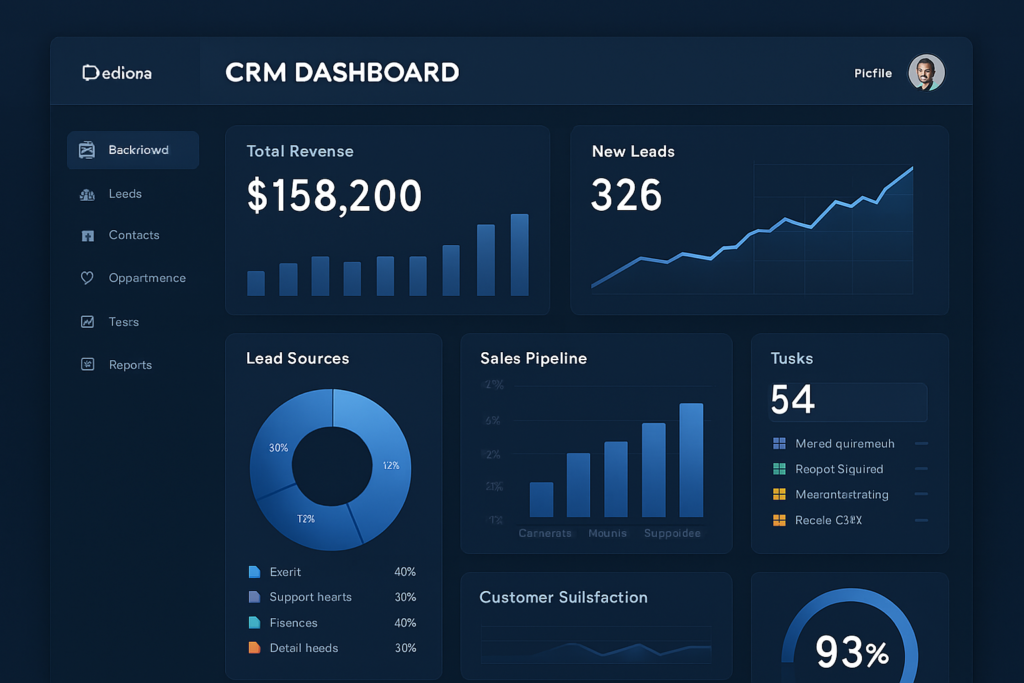
HubSpot addresses this challenge through customizable reporting dashboards.
Key metrics include:
- Lead generation performance
- Conversion rates
- Pipeline value
- Revenue forecasting
- Sales activity tracking
These insights help consultants make more informed decisions regarding business development and resource allocation.
Integrations
HubSpot integrates with hundreds of business applications.
Popular integrations include:
- Google Workspace
- Microsoft 365
- Zoom
- Slack
- Calendly
- Stripe
- QuickBooks
For consultants who rely on multiple software platforms, strong integrations reduce manual data entry and improve workflow efficiency.
How Consultants Can Use HubSpot CRM
Managing Client Relationships
Every client interaction can be stored within HubSpot.
Consultants can access:
- Email conversations
- Meeting notes
- Call records
- Documents
- Tasks
This creates a complete client history that improves relationship management and service delivery.
Tracking Consulting Opportunities
HubSpot’s pipeline tools help consultants track opportunities from initial inquiry through signed contracts.
This visibility allows firms to forecast future revenue more accurately and prioritize high-value opportunities.
Managing Follow-Ups
Consistent follow-up is critical in consulting sales.
HubSpot enables consultants to create reminders, automated workflows, and email sequences that ensure opportunities remain active.
Referral Management
Many consulting businesses rely heavily on referrals.
HubSpot can be customized to track referral sources, helping consultants identify which relationships generate the most valuable business opportunities.
HubSpot CRM Pricing
HubSpot’s pricing structure is one of its biggest strengths.
Free CRM
Includes:
- Contact management
- Deal tracking
- Email tracking
- Basic reporting
- Meeting scheduling
For many solo consultants, the free plan may be sufficient initially.
Starter Plans
Designed for businesses that require additional automation and reporting capabilities.
Professional Plans
Provide advanced automation, forecasting, and reporting functionality suitable for growing consulting firms.
Enterprise Plans
Best suited for larger organizations with more sophisticated operational requirements.
Is HubSpot Worth the Cost?
While HubSpot’s advanced plans can become expensive, many consultants find the investment worthwhile due to improved efficiency, automation, and business development visibility.
The free plan also reduces adoption risk significantly.
Pros and Cons
Pros
- Easy to use
- Excellent free plan
- Strong automation capabilities
- Extensive integration ecosystem
- Modern interface
- Scalable platform
Cons
- Advanced plans can be expensive
- Some features require upgrades
- Customization depth is lower than Salesforce
- Reporting limitations on lower-tier plans
HubSpot vs Zoho CRM
HubSpot and Zoho CRM are two of the most common choices for consultants.
HubSpot generally offers a better user experience and simpler implementation process.
Zoho CRM typically provides greater customization flexibility and lower long-term costs.
Consultants seeking ease of use often prefer HubSpot, while those prioritizing customization may lean toward Zoho CRM.
HubSpot vs Pipedrive
Pipedrive focuses heavily on pipeline management and sales visibility.
HubSpot offers a broader platform that includes marketing automation, customer service tools, and more extensive integrations.
Consultants who need an all-in-one platform often choose HubSpot.
Those focused primarily on sales management may find Pipedrive sufficient.
Alternatives to HubSpot CRM
Zoho CRM
Best for customization and affordability.
Pipedrive
Best for sales-focused consultants.
Monday CRM
Best for consultants who want project management and CRM functionality combined.
Salesforce
Best for enterprise consulting firms with complex requirements.
Freshsales
Best for firms seeking strong automation at a competitive price point.
Final Verdict
HubSpot CRM remains one of the strongest CRM options available for consultants in 2026.
Its combination of ease of use, powerful automation, extensive integrations, and scalability makes it suitable for a wide range of consulting businesses. Whether you are an independent consultant building your first client pipeline or a growing consulting firm managing a larger sales process, HubSpot offers the tools needed to organize relationships and drive business growth.
The free plan provides an excellent starting point, while the broader HubSpot ecosystem creates a pathway for future expansion.
For most consultants, HubSpot CRM earns a strong recommendation.
Final Rating: 9.2/10
Frequently Asked Questions
Is HubSpot CRM good for consultants?
Yes. HubSpot CRM is particularly well suited for consultants because of its ease of use, contact management capabilities, automation tools, and scalable pricing structure.
Does HubSpot CRM have a free plan?
Yes. HubSpot offers a free CRM plan that includes contact management, deal tracking, email tracking, and reporting features.
Is HubSpot better than Zoho CRM for consultants?
HubSpot is generally easier to use, while Zoho CRM provides greater customization flexibility. The best choice depends on your business requirements.
Is HubSpot suitable for small consulting firms?
Yes. Small consulting firms often benefit from HubSpot’s collaboration tools, automation capabilities, and reporting features.
What are the best alternatives to HubSpot CRM?
Zoho CRM, Pipedrive, Monday CRM, Salesforce, and Freshsales are among the strongest alternatives for consultants.